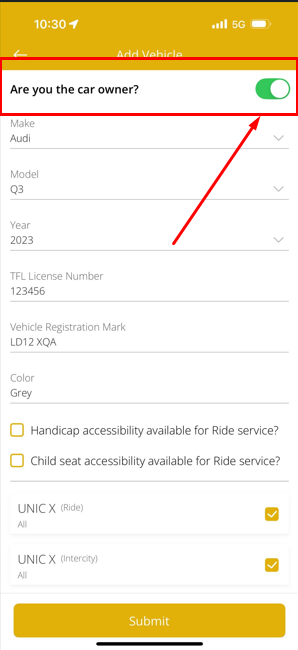
How can I edit the vehicle ownership?
To Edit Car Ownership
-
- Go to the Account tab.
- Select Manage Vehicle under “General Settings.”
- Tap the pen icon (edit) in the top right corner.
- Locate the Car Ownership button.
- Toggle this button to OFF if you’re no longer the owner.
- Save your changes.